If typing is slower than thinking
AuroraWhisp turns voice into text in under a second. Think, speak, release the key — and keep going. No "wait, I need to type that out."
Press a key, speak, release — text appears in any window. Recognition runs on your computer. No cloud. No account.
Five things we keep hearing from early users.
From "opened the app" to "dictated a paragraph into Word" — under a minute after install.
Any hotkey you like — Ctrl+Space, F9, right Ctrl, Caps Lock. Set it once, you're done.
The widget shows what it hears. Speak naturally — pauses, inflections, mid-sentence corrections — the model handles it.
A second later, the text appears where your cursor is. Word, Slack, your IDE, the browser — anywhere.
Ctrl+Space, F9 or any key you bind — dictate into any field, in any application. No per-session setup.
Recognition runs on your machine. Not sent anywhere — not to a server, not to "anonymous logs." Nothing to leak.
English, Spanish, German, French, Italian, Portuguese, Dutch, Polish, Czech, Turkish, Russian, Ukrainian, Japanese, Korean, Chinese. Plus an "Auto" mode — the app detects the language from your audio.
Small, appears only when you speak. Twelve appearance options — pick the one that feels right.
Coworker names, project jargon, unusual words — record once by voice, the app remembers every variant the way it hears you.
A 5-second phrase recognised in ~150 ms on a regular CPU — faster than you can lift your finger off the key. Heavy Whisper Medium/Large models on a GPU run in 100–300 ms.
On first launch the app reads your Windows system locale and loads the right model. German user downloads the .exe → app starts in German, no setup. Same for the UI itself — it ships in your language (RU/EN/DE/ES/FR/IT).
The app detects your CPU, RAM and GPU and suggests an optimal model. Weak laptop → Whisper Base. Strong machine with CUDA → Whisper Large-v3 in 100–200 ms. No "try this, then try that" trial and error.
Drop an mp3 / mp4 / m4a / wav onto transcribe.bat — get a ready txt next to it and a copy in your clipboard. Transcribing a one-hour lecture takes a minute or two.
Say "comma" — get a comma. 19 built-in rules for punctuation and formatting plus your own. Numbers ("two thousand five hundred" → 2500) and auto-capitalisation work out of the box.
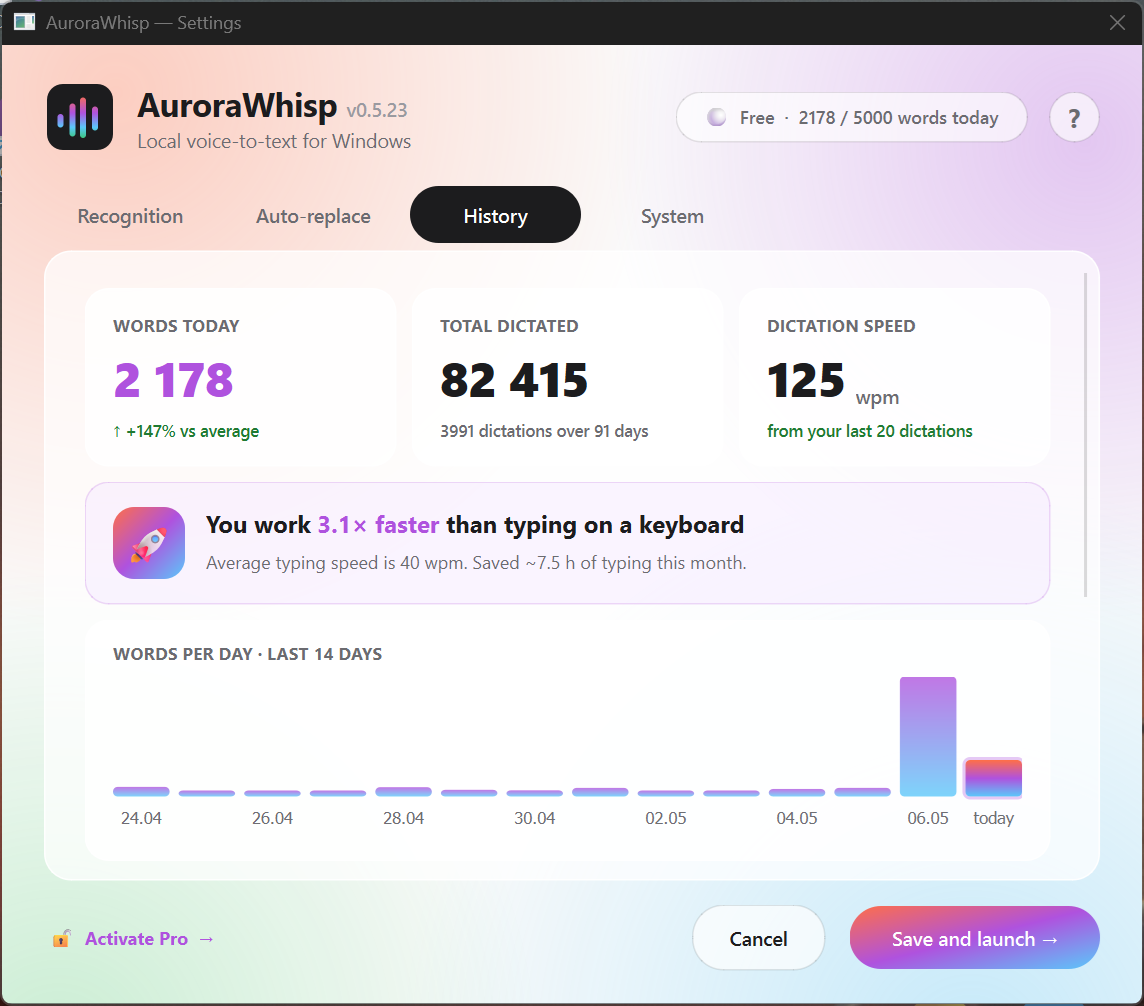
The stats dashboard shows how many words you dictated today, in total, and at what speed. Everything is stored locally in SQLite on your computer.
Press and hold a key — while held, the app listens. Release — and a moment later your speech appears wherever your cursor is. Any field, any application.
Recognition works at the same high quality across fifteen languages. One click in the tray to switch — no restart.
Short version: local, multilingual, no subscription. Full tables with five competitors live on the dedicated comparison pages.
| App | Price | Where it runs | No subscription |
|---|---|---|---|
| AuroraWhisp | Free + Pro $19.90 | Your machine | Yes |
| Wispr Flow | $15/mo | Cloud | No |
| WhispeRu | Paid | Your machine | Yes |
| Win+H | Free | Your machine* | Yes |
| Dragon | $300+ | Your machine | Yes |
When you speak, you say things you'd never type publicly. Private messages, work passwords, thinking out loud, salary numbers, medical questions. AuroraWhisp doesn't send any of that to the cloud, doesn't store it on servers, and doesn't use it to train models.
Not a single byte of audio leaves your machine. Verify it in Wireshark, or block the app at your firewall — it will keep working.
Download, use it. No email at install, no phone confirmation, no signup at all.
Optional anonymous stats — only if you turn them on yourself in settings. Off by default. No audio, no text, no device IDs.
Privacy policy written in human language. If anything ever changes, we'll tell you in advance. The version of the app you installed will keep working under the rules in effect when you installed it.
Free — 10,000 recognised words per day, all 15 languages, light models. Pro — $19.90 once: unlimited words, heavy models (Whisper Medium / Large-v3), up to 3 devices, no-questions 14-day refund. No subscription on principle — buy once, yours forever.